Skip to content
 

Promise Pegasus Daemon Cannot Start

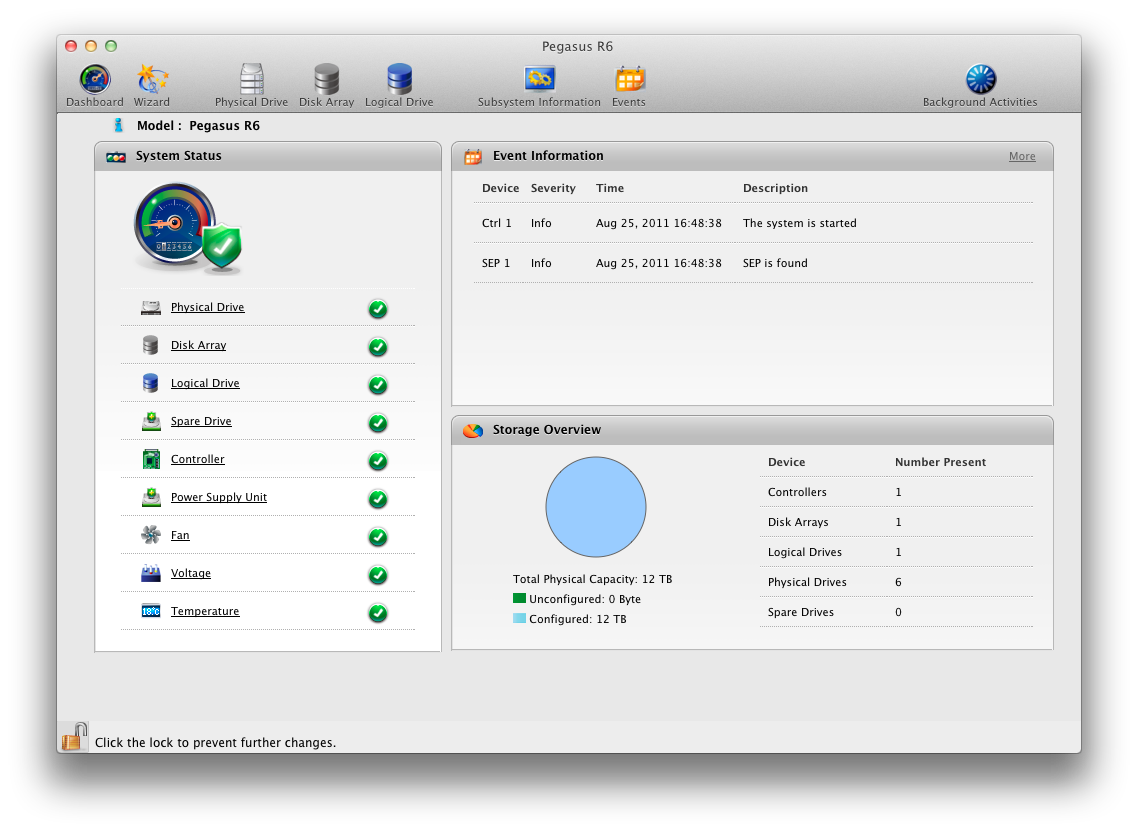
The Promise Utility main screen, once it finally works.

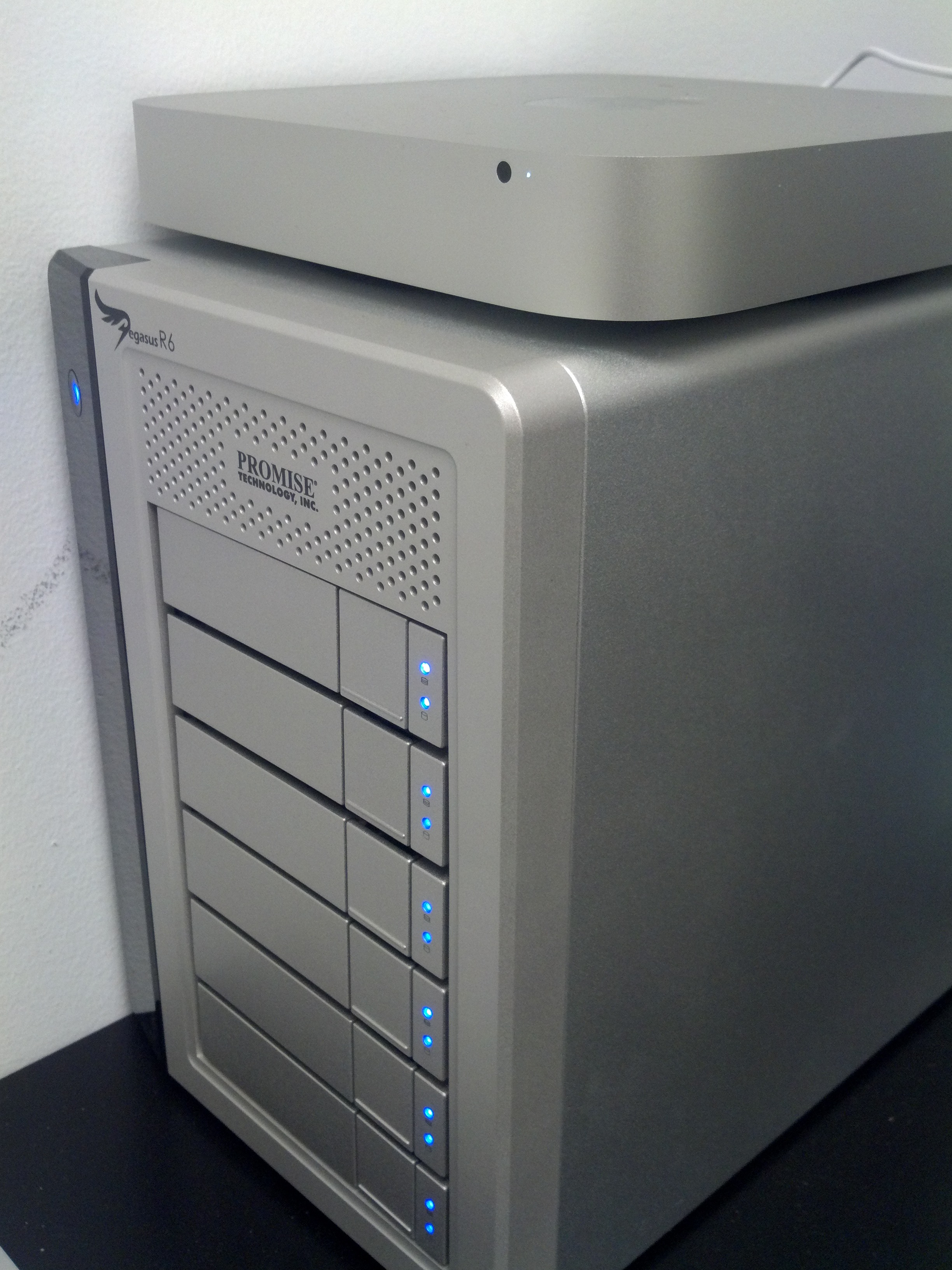
At work we wanted to build a cheap network attached storage with a fair amount of space and some expandability. We decided that the easiest route was a Mac Mini Server with the new Thunderbolt compatible Promise Pegasus R6 RAID array. The solution is effectively plug-and-play. You turn on the RAID, plug in the Thunderbolt cable, and a new hard drive shows up on your Mac. While not required, the Pegasus comes with the “Promise Utility” that allows you to monitor your RAID. I’m a sucker for little toys like this, so I installed it… and was very disappointed when it didn’t work.

Every time I launched the Promise Utility, it told me that the daemon wasn’t running and to press OK to restart it. No matter how many times I tried, it never started. I tried a good old fashioned reboot (of both pieces of hardware), but still no luck. I even went to Promise’s site and tried downloading the software again (assuming that which I installed was out of date and not 10.7 compatible). No dice. The last thing I did was launch terminal and check /var/log/system.log, going back to my Linux roots. There it was:

Aug 25 17:49:03 server-1 com.promise.httpd[546]: httpd: apr_sockaddr_info_get() failed for server-1.hq.companyname.com
Aug 25 17:49:03 server-1 com.promise.httpd[546]: httpd: Could not reliably determine the server's fully qualified domain name, using 127.0.0.1 for ServerName
Aug 25 17:49:03 server-1 com.apple.launchd[1] (com.promise.httpd[546]): Exited with code: 1

The Mini rides into data battle on its RAID

That second line I recognize as Apache. I presume the first line is also, but I’ve not seen that error before. Regardless, the issue seemed to stem from the fact that my server (which was freshly installed) wasn’t in the DNS and the Promise application needed the name to resolve correctly. As a quick hack (or for those playing along at home), in terminal, I did sudo nano /etc/hosts and on the line that reads “127.0.0.1 localhost”, I added “server-1 server-1.hq.companyname.com”. Of course, you’ll want to change that to read the name of your server. If you don’t know the name of your server, simply run hostname from the terminal command prompt.

After that, I clicked on Promise Utility again and away it ran. Since the Pegasus R6 comes preconfigured out of the box as a RAID 5, there wasn’t really any configuration for me to change. At least now I can get into the utility, down the line, to check on the unit status and verify everything is operating properly.

36 Comments

  1. Peter D says:

    Thank you!

    My Pegasus R4 has been sitting on a table idly for 4 days because of this error. No response from Pegasus tech support. Searching Google for “Cannot launch Promise Utility daemon” came up nil. I delved into Console.app and noticed the same console errors you did; however, I couldn’t interpret them.

    I’m grateful to you. Thank you for posting your experience.

    • Jon says:

      Glad to help! It is little silly bits like that which really drive me nuts, when the application doesn’t tell you anything except that it failed.

      • Jords says:

        Hi Jon,

        I have Pegasus R6 and my MACbook is 10.7.

        I got error saying that MAC can not recognize the R6. No Installation CD for the drive. Any idea what’s the problem and how I can fix it? DO i need to reformat the R6?

        Thanks
        Jords

  2. Anton says:

    Hi Jon,
    Same problem, Thank you for posting. It works!
    Anton.

  3. Kristian says:

    Hi when i write the command i terminal all I get is
    -bash: /var/log/system.log: Permission denied

    what do I do?

    I have one more problem, my promise suddenly eject all the time.

    • Jon says:

      run: tail -f /var/log/system.log
      OR: sudo tail -f /var/log/system.log

      That will give you keep displaying the log as it updates. So you can try to launch the console or plugging in the drive and see what happens. That may also tell you why it ejects.

  4. Kristian says:

    Sep 20 16:28:15 Kristians-iMac authexec[3516]: executing /Applications/Promise Utility.app/Contents/Resources/PMLauncher
    Sep 20 16:28:15 Kristians-iMac [0x0-0x3da3da].com.promise.PromiseUtility[3509]: launchctl start error: No such process
    Sep 20 16:28:23 Kristians-iMac com.apple.launchd.peruser.501[124] ([0x0-0x3da3da].com.promise.PromiseUtility[3509]): Exited with code: 1
    Sep 20 16:28:23 Kristians-iMac UserEventAgent[127]: ACRR: Failed to save usage store to /Users/tybakken/Library/Application Support/CrashReporter/Intervals_EAEAD21D-8D82-528E-B509-270B3FB52C6C.plist

    ok, I dont understand anything, anyone that does? Please help.

  5. Corin says:

    Do you add the line as below?

    127.0.0.1 localhost
    255.255.255.255 broadcasthost
    ::1 localhost
    fe80::1%lo0 localhost
    server.[clientname].private localhost

    Because that results in this:
    Sep 28 11:36:42 server authexec[405]: executing /Applications/Promise Utility.app/Contents/Resources/PMLauncher
    Sep 28 11:36:45 server Promise Utility[395]: changed!!–:0
    But Promise Dashboard still fails to appear, repeated messages about daemon not launching.

  6. Rob says:

    Hi,

    Having the same issue. Thanks for the post. In my case the hostname of the computer is eagle. I’ve edited the hosts file to read this:

    127.0.0.1 localhost
    255.255.255.255 broadcasthost
    ::1 localhost
    fe80::1%lo0 localhost
    eagle localhost

    Restarted a couple of times and no joy. Is what I’ve done correct?

    Thanks a lot.

  7. Yngve says:

    Hi Jon,

    I’m a complete newbie so sorry for asking this: but how do you save the host file? Command+s doesn’t work.

    Regards,
    Yngve

  8. Tim James says:

    Thanks Jon

    That guide was very helpful I have had my Pegasus R6 for just over a month now and all of a sudden the Pegasus utility told me a drive had failed. I had a little red light next to the 4th drive down. I turned all of it off disconnected from imac and ran steps as you wrote in this page and now it is all running perfect! Thank you i really appreciate when people write about the strange things they encounter with new hardware and software.
    I think there needs to be a site dedicated to this product so that anyone with issues or points like yours to share can do so.

    Once again thanks a lot.

    Tim James
    ThE Flicks Limited
    New Zealand

  9. Mark says:

    Thanks. Another happy google discovery here.

  10. jaydee says:

    No dice. Still get daemon error, anyone have any alternate fixes?

  11. Alberto says:

    Hi Jon,

    Excellent job. Thanks to your help I could solve my problem. I think this happened to me because I had installed the Lion Server.

    Alberto
    Spain

  12. Fernand Van damme says:

    Hi all,
    Hust bought Pegasus raid 4
    I am trying to change to raid 6
    No way, all wizard buttons stay dimmed in Promise Utility
    get me out of this hell
    Thanks
    Fernand

  13. SteveM says:

    Thanks for the posting your fix it lead me right to my problem- My host file was good with my FQDN but when I ran the hostname query I found my problem was the “host” was missing there I only had “domain”.com no in host front to make it a proper FQDN.
    I had to rerun the configure network wizard in the server utility and add the FQDN there. after that The Promise Utility started right up.

    Sad thing is I called promise support and they were less than skilled with getting the application to work or on their own command line functionality of the product (I had to use the command lines to replace a drive that failed). I ended up telling them how use the command line.

    • Jon says:

      I hate that, when you have to tell support how to use their own product. I once had a 20 minute “argument” with a companies CS rep who insisted I couldn’t do what I was doing with their product (Web based app, which I then had to give him a step by step).

  14. Van Damme says:

    Hi,
    Pegasus not seen by MacBookPro .
    It happends all the time when taking Pegasus from one Mac to the other .
    I have 2 Pegasus 4 and 2 Pegasus 6,
    they just start up once in a while when they feel like it .
    I am just an amateur, do not be to complicated
    DO NOT EXPECT ANY FEEDBACK FROM PROMISE .
    THEY BOUGHT THAT HARDWARE IN CHINA AND EVEN DO NOT HAVE ANY IDEA WHAT IT CAN BE USED FOR .

  15. JH Shin says:

    Hi,
    I’m using mac mini server and pegasus4T.
    I’m a amatour so I can’t understand.
    Please please help me

    What I done was…(My host name is kykee117(macmini))

    1. get into terminal
    2. typing
    sudo nano /etc/hosts
    server-1 server-1.hq.kylee117(macmini).com <- added at last line
    control + x
    y
    enter key
    3. rebooting macmini several times
    —————————–
    What' wrong with me..
    Please answer me..

  16. JH Shin says:

    Oh! my god!!
    You solved it!

    127.0.0.1 server-1 server-1.hq.kylee117.com
    changeing server type

    Thank you very much

  17. hi, I just returned all my stuff, FOUR Promise Pegasus, to AppleStore and be refund . Apple is not risponsable, but Promise is just a bunch of incompetent people . Trying to get in touch with them on Internet is like trying to open a safe and not having the key .
    FVD

  18. JBF says:

    You write: “You turn on the RAID, plug in the Thunderbolt cable, and a new hard drive shows up on your Mac.”

    and then again it often doesn’t.

    Simple problem. Go to Promise Support. Big problem. They don’t even have this problem listed in their support database.

    I have searched the web for hours only found odd comments like “adjust power saver to not allow drives to sleep” and “keep you iphone away from the thunderbolt cable”.

    Shame as I had just finally consolidated all my digital photography from countless external hard drives. 400,000 images in a box that wont connect to anything, anymore.

    • Jon says:

      Yea. I’m not sure if these units are good. They were for my old job and I left them there. The IT guy still there IM’d me months later and told me that a drive had failed and then the entire RAID had “Failed” but then he somehow managed to recover it. At the same place I installed a rackmount QNAP NAS in the datacenter and it worked FANTASTICALLY. If you’ve got a few bucks, I highly recommend the QNAP units.

  19. Pusik says:

    My console messages are

    Jul 26 11:37:01 localhost com.apple.launchd[1] (com.promise.httpd): Unknown key for boolean: OnLoad
    Jul 26 11:37:05 Pusik-MBPr com.promise.httpd[73]: httpd: Could not reliably determine the server’s fully qualified domain name, using ::1 for ServerName

    my hostname is Pusik-MBPr.

    my /etc/hosts content is

    127.0.0.1 localhost Pusik-MBPr
    255.255.255.255 broadcasthost
    ::1 localhost
    fe80::1%lo0 localhost

    however, the daemon doesn’t run.
    HELP ME!!!

  20. Pusik says:

    Where is ‘server-1′ from?
    Is it meaningful?
    In the same place, localhost and my hostname (Pusik-MBPr) are shown according to my log.

  21. jaboom says:

    hello, im frustrated with this little hack. i tried to enter this into my terminal just like the directions said. exited, saved, restarted and the promise utility didnt open.

    127.0.0.1 localhost
    255.255.255.255 broadcasthost
    ::1 localhost
    fe80::1%lo0 localhost
    server-1 server-1.hq.tmorgan.com

    does that look right?
    thanks

  22. jaboom says:

    ok. im lost.

    i tried everything. now i just get a “Promise utility quit unexpectedly,” when i go to open it. i also get denied permissions when i try: /var/log/system.log

    any ideas why?
    thanks very much

Leave a Reply